Safety and trust
Safety and reporting
How to report a channel or a message, block someone, keep 18+ streams away, and what a suspension means.
If something on NETSTREAM looks wrong, you can report it, block the person, or keep 18+ streams out of your way. A person, never a machine, decides what happens next.
Report a channel
- Open the creator's channel page.
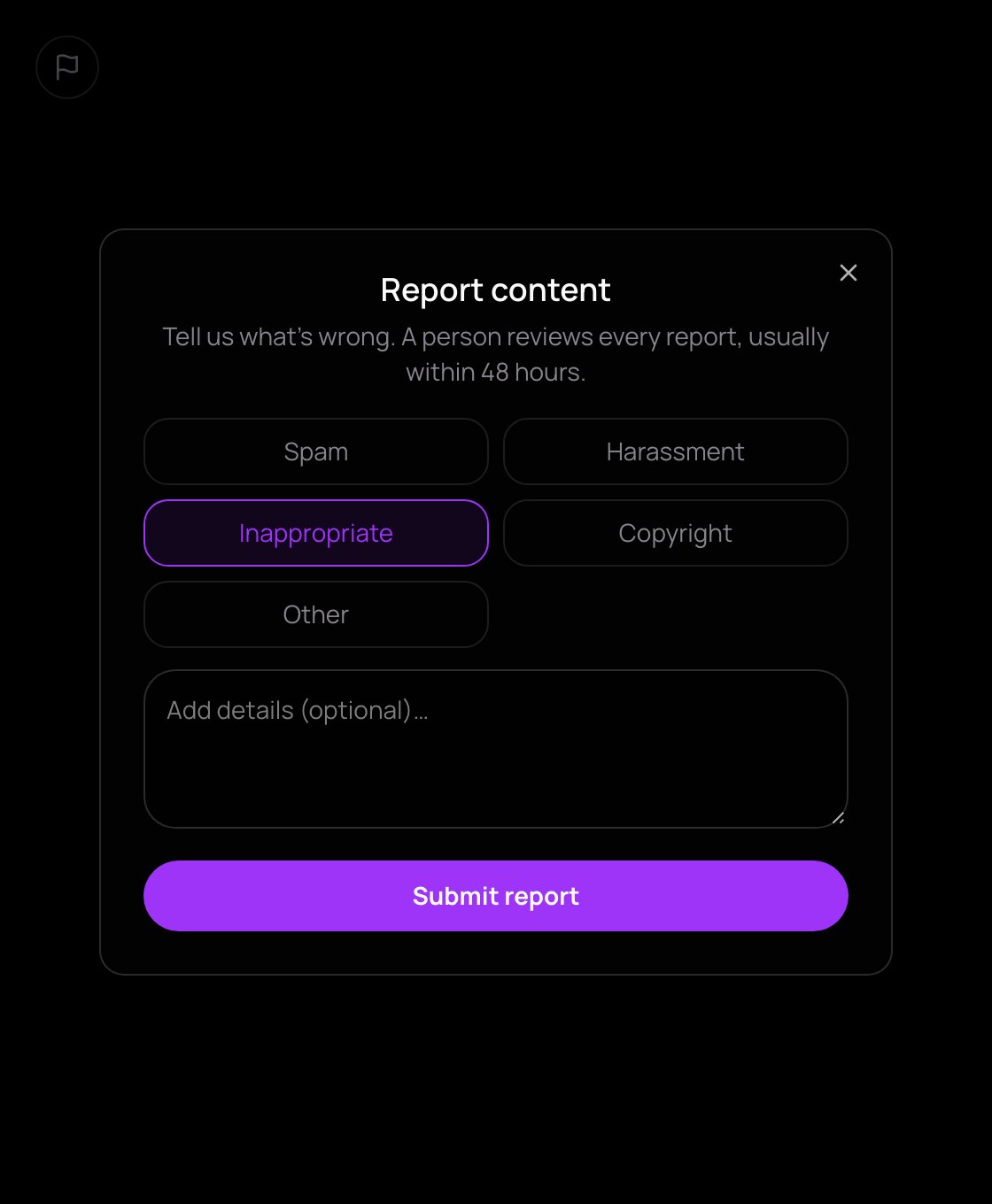
- Press the flag button, Report. The Report content form opens.
- Choose a reason: Spam, Harassment, Inappropriate, Copyright or Other.
- Add details if you like, then press Submit report.
You need to be signed in. You'll see: "Report sent. We'll review it within 48 hours."
Report a private message
In Messages, open Message options (the … next to their message) and choose Report. It is sent at once, and the message is kept for the review even if its sender deletes it.
What happens next
- A person reviews every report, usually within 48 hours. Reports alone never switch anything off.
- The person you report is never told who reported them.
- You can report the same thing once while it waits. You can't report your own content.
- A creator sees any action taken on their content in Dashboard → Chat & safety → Reports about your content, and can press Appeal. A person reviews the appeal.
Block someone
In a private chat, open Chat options (the … at the top) and choose Block: they can no longer message you. Your list is in Settings → Messages → Blocked people, with Unblock. There you can also set Who can send you message requests to Only supporters.
In a live chat
The creator and their moderators keep order: Delete message, Time out 10 min, Ban from chat, slow mode, blocked words. A single live chat message can't be reported; if a chat turns abusive, report the channel. More in Chat.
18+ streams
Creators mark a stream 18+ for strong language or mature themes. Sexual or nude content is never allowed, not even then. An 18+ stream stays covered until you press I'm 18+, show it. To keep them out of your feeds, turn off Show 18+ streams in Settings → Playback.
Suspensions
Under the User Agreement, NETSTREAM can ban a person or freeze a wallet or a channel.
- A banned person or frozen wallet can't chat, send gifts, pay, claim rewards or go live, and sees: "Your account is suspended. If you think this is a mistake, write to business@netstream.app."
- A frozen channel can't go live, be watched live or be paid: "This channel is not available right now."
A refused payment is never charged.
Getting help
Start with Help centre and Trust: money & data in the account menu. For the legal documents or your personal data, the Legal page gives an email address: business@netstream.app.