The studio
Live numbers and analytics
See who is watching and what you earn while you are live, and how each stream went afterwards.
While you are live: the Stats tab
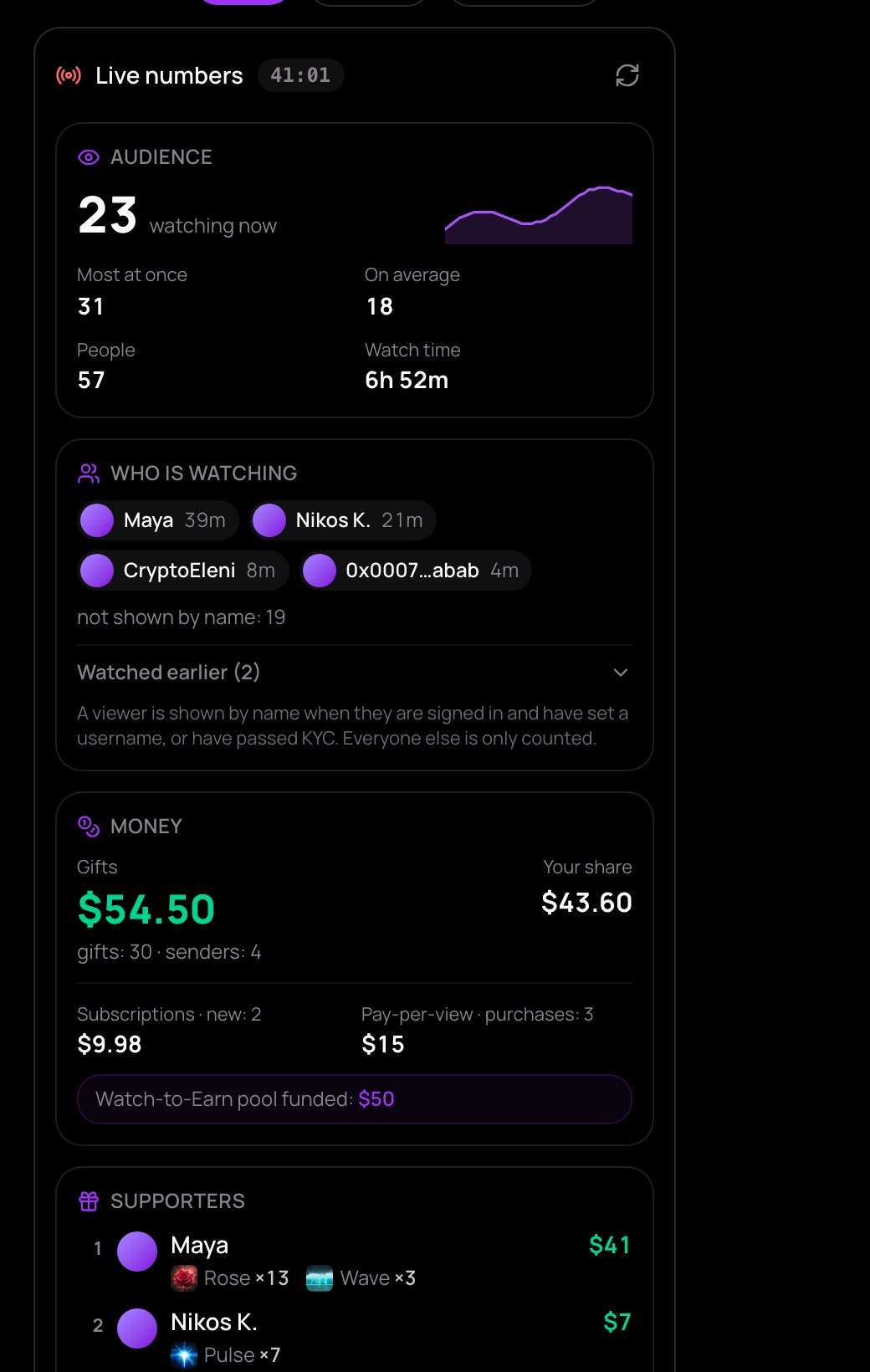
Open Stats beside the preview. Under Live numbers, next to the time you've been on air, you find:
- Audience: how many are watching now, a small line of viewers over time, Most at once, On average, People and Watch time.
- Who is watching: viewers by name with how long they have watched, and who Watched earlier. A viewer is shown by name when they are signed in and have set a username, or have passed KYC. Everyone else is only counted.
- Money: Gifts and Your share, new subscriptions, pay-per-view purchases and the Watch-to-Earn pool you funded.
- Supporters: everyone who sent gifts, with what they sent, and the Latest gifts.
- Chat: how many messages, and how many people writing.
- Your channel: new followers and subscribers while you are live, by name.
- Your connection: in plain words, whether your picture goes out at full size, smaller, or stutters for viewers. With OBS, look at OBS instead.
The numbers refresh by themselves every 15 seconds, and soon after a gift arrives; the refresh button reads them at once. NETSTREAM keeps them, so reloading the page loses nothing. How many are watching is also always shown at the top of the studio.
After the stream: analytics
When you end a stream, your Dashboard opens with See how it went. Later, open the Dashboard's Streams tab and press Analytics on any stream. You see:
- Audience: People who watched (each counted once), Most at once and Fewest at once with the time, On average, Watch time and Views in all (live and replay), with a chart of Viewers over time.
- Your picture: how long the stream went out at full size, smaller, or frozen for viewers, and mostly why.
- Gifts and support: gifts and Your share, pay-per-view, new followers and subscribers, likes, clips and your Top supporters.
While a stream is still live, its analytics show the numbers so far.
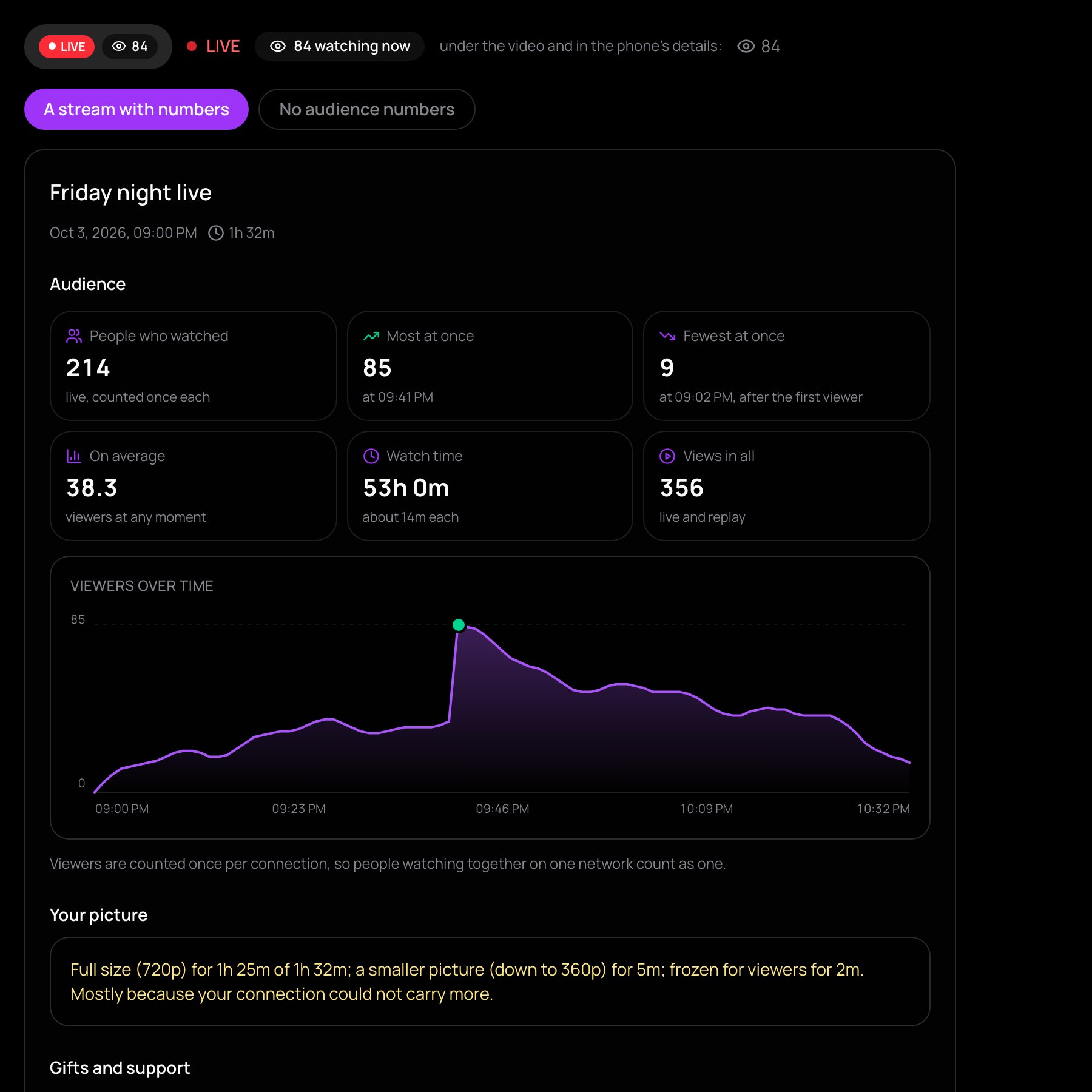
Viewers are counted once per connection, so people watching together on one network count as one.
To see how your share is worked out, read how the money is split. All your earnings over time are in your earnings.