Your wallet
Balances and receiving
Where your wallet is, what your balances show, and how to get USDC and SUI into it from another wallet or an exchange.
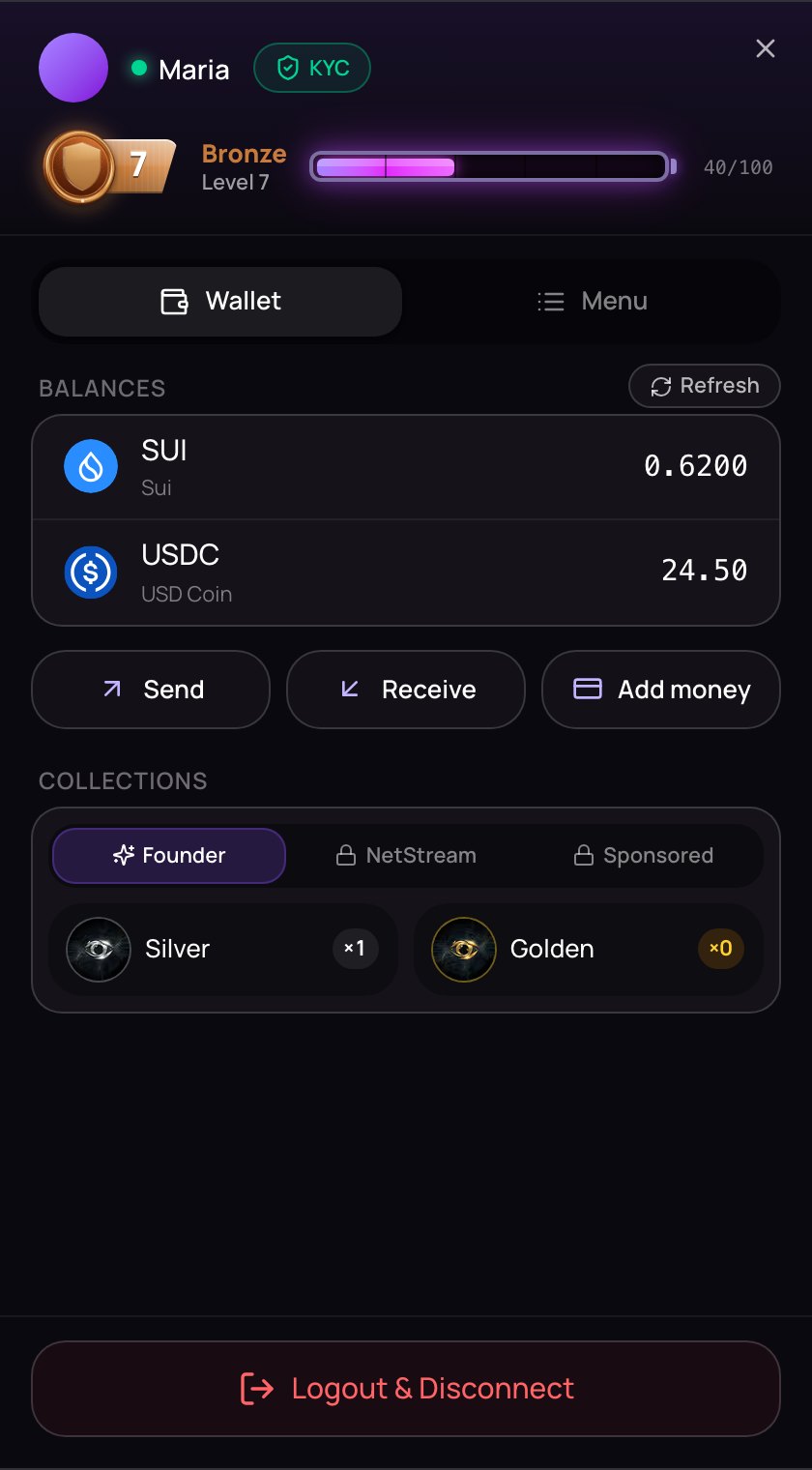
Your NETSTREAM wallet holds the money you pay with: USDC, a digital dollar, and a little SUI for network fees. It lives in the account menu.
Open your wallet
- On a computer: click your picture at the top right. The account menu opens at the side, on the Wallet tab.
- On a phone: tap Me in the bottom bar. The menu fills the screen, and your phone's Back button closes it.
On a phone, creators see Dashboard in the bottom bar instead of Me. For them, the account menu is their picture at the top right.
Balances
Balances shows what is in your wallet: SUI and USDC. A dash means the amount is still being read.
Your balances update by themselves after you send from here. When money arrives from somewhere else, tap Refresh above the list to read them again without reloading the page. If that doesn't work, the old amounts stay and you see "Couldn't refresh your balances — try again."
Under your balances are three buttons — Send, Receive and Add money — and Collections, which counts the NFTs you hold.
Receive USDC or SUI
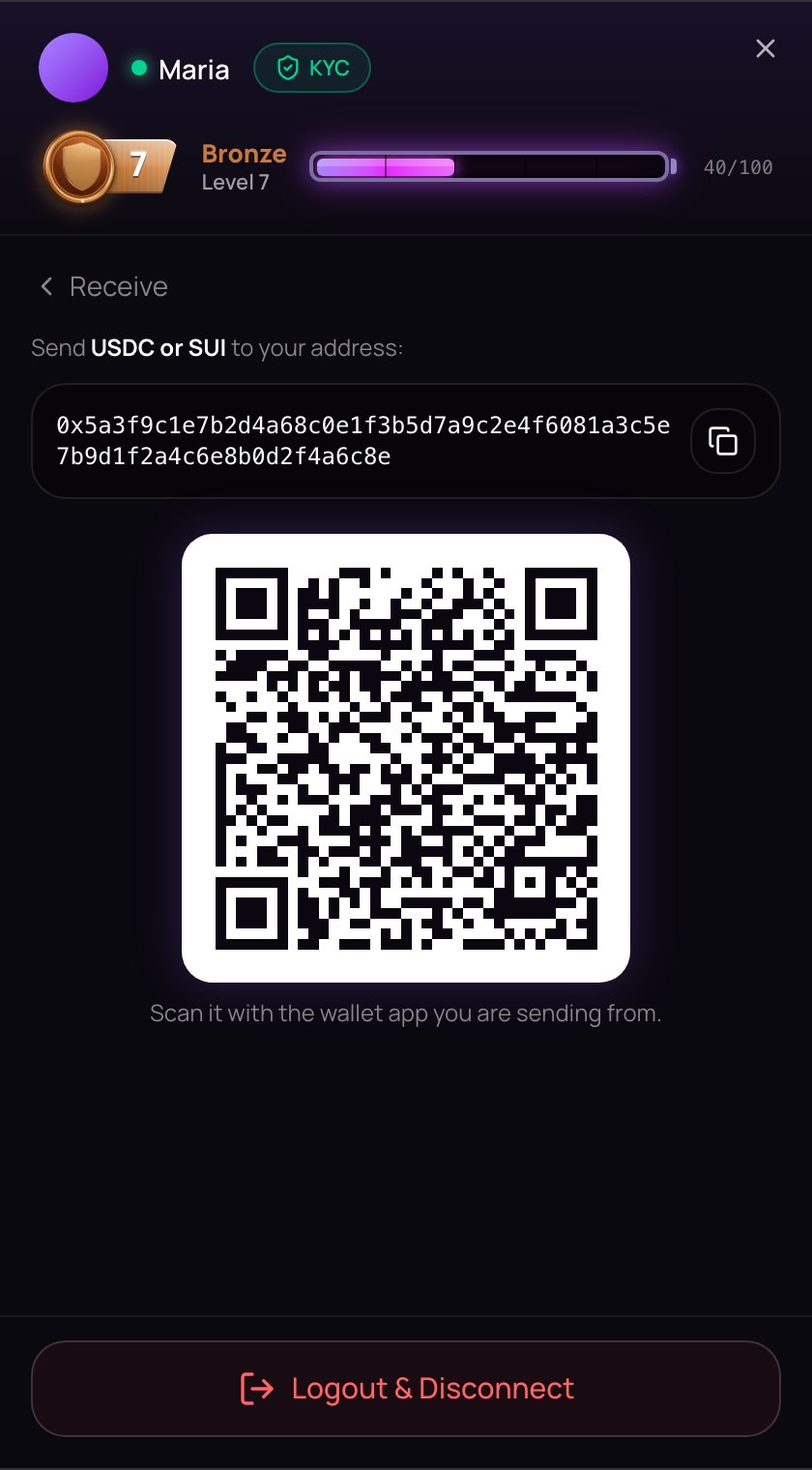
- Tap Receive.
- Your full wallet address is shown. Tap the copy button beside it — you see "Address copied" — and paste the address into the wallet or exchange you are sending from.
- Or scan the QR code under it with the wallet app you are sending from.
- When the money has been sent, tap Refresh over your balances.
Receiving needs no identity check. It is also the way to add money when you already have USDC or SUI somewhere else.
Only USDC and SUI, only on Sui
Send only USDC or SUI to this address, and only on the Sui network. When you withdraw from an exchange, choose Sui as the network. Coins sent on another network don't arrive in this wallet, other coins can't be used on NETSTREAM, and NETSTREAM can't get them back for you.
To pay on NETSTREAM you need USDC, plus a little SUI for each payment's network fee. See Fees and safety.