Becoming a creator
Verified earnings badge
An optional badge that shows a milestone of what you've earned, counted only from payments recorded on the Sui blockchain.
The verified earnings badge is a small green badge next to your name, such as $1K+ earned. It shows viewers what you've earned, in a way they can check for themselves. It is off until you turn it on.
What it shows
- A milestone, not the exact amount: $100+, $1K+, $10K+, $100K+ or $1M+. Below $100 there is no badge.
- It counts only payments recorded on the Sui blockchain — gifts, subscriptions and pay-per-view — and only your 80% share of each.
- It appears on your channel page and next to your name on your streams (on a phone, also in a stream's details).
Turn it on or off
- Open your Dashboard and the Earnings tab.
- Find Verified earnings badge and use its switch.
Under the switch you see the badge itself: It would show: while it's off, Showing now: while it's on. If you've received less than $100 so far, it tells you how much; the badge then appears by itself once you reach $100.
The switch is there once you have earnings — before your first payment the tab says No earnings yet. You can turn the badge off at any time, and it goes away.
What viewers see when they tap it
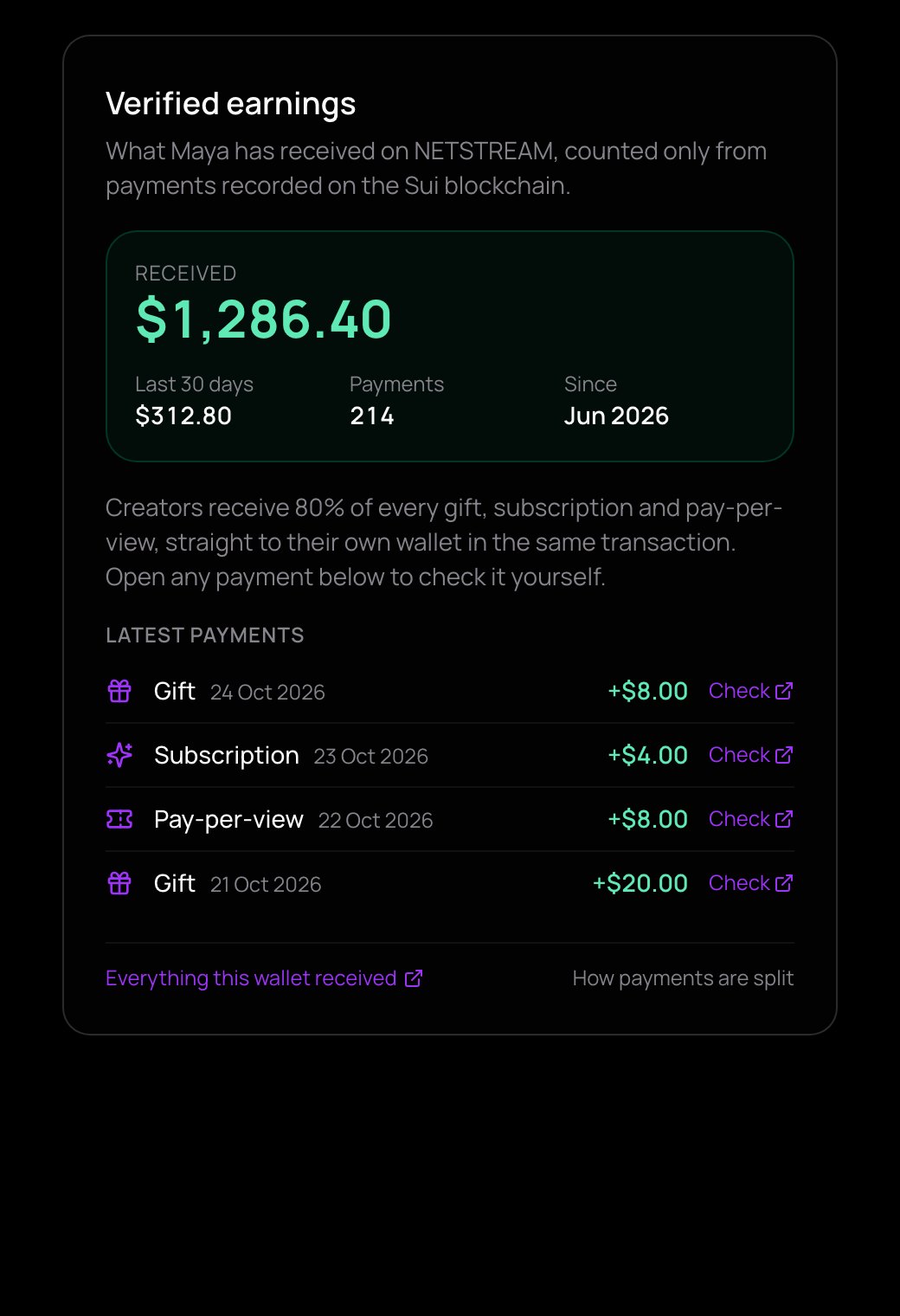
A window called Verified earnings opens:
- Received: your total, with Last 30 days, Payments (how many) and Since (the month of the first one).
- Latest payments: each one a gift, a subscription or a pay-per-view, with its date and amount. Check opens that payment on Suiscan, a public blockchain explorer, so anyone can confirm it.
- Everything this wallet received (your wallet on Suiscan) and How payments are split.
Who paid you is never shown — no names, no wallets.
A new payment can take a few minutes to reach the badge.