Your wallet
Send USDC or SUI
How to send USDC or SUI from your NETSTREAM wallet to another Sui address, and what to do when a send is refused.
You can send USDC or SUI from your wallet to any Sui address: another wallet of yours, an exchange, or a friend.
Send
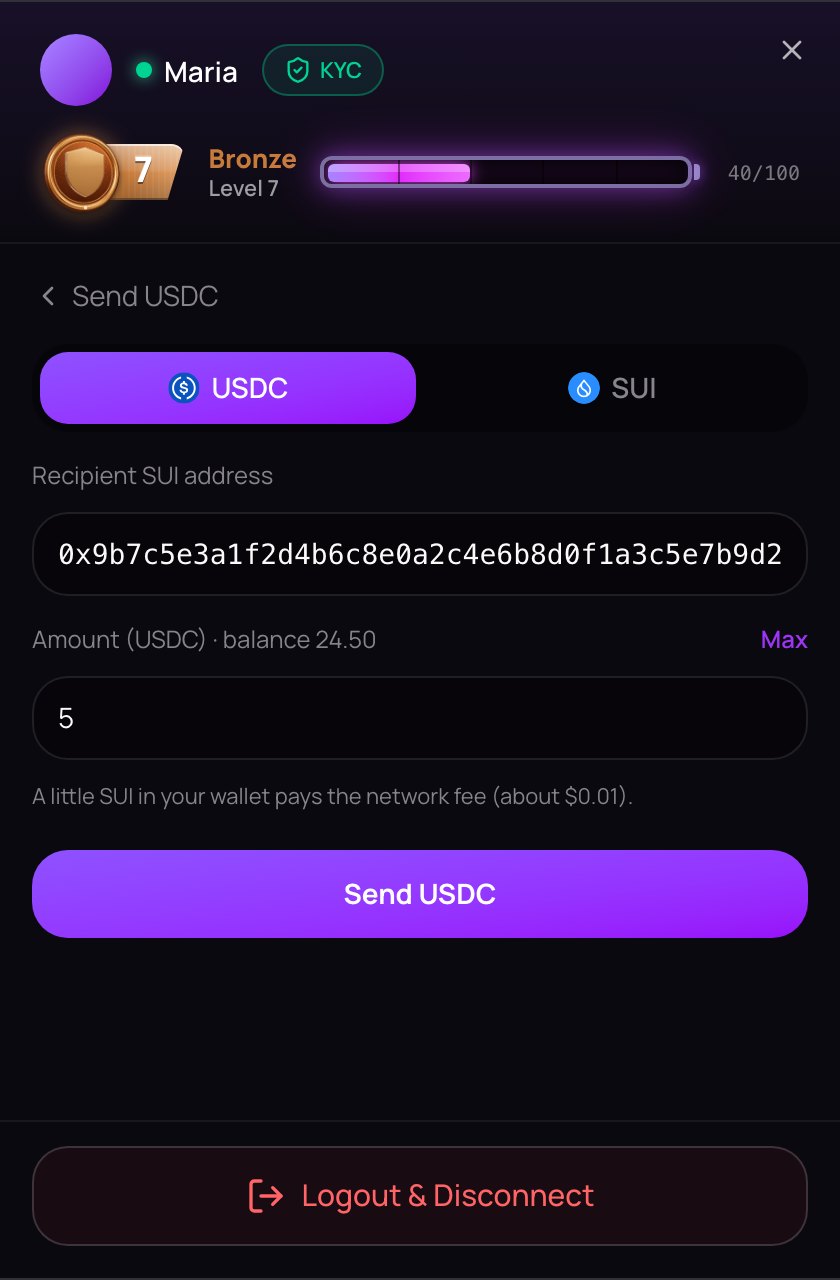
- Open the account menu, stay on the Wallet tab and tap Send.
- At the top, choose what to send: USDC or SUI.
- Paste the address into Recipient SUI address. A Sui address starts with
0xand is 66 characters long. - Type the amount, or tap Max for the most you can send. Your balance is shown just above the box.
- Tap Send USDC or Send SUI. If your wallet asks you to approve, check the details there and approve.
When it has gone you see, for example, "Sent 5 USDC". The menu goes back to your balances, which update.
A send can't be undone. Check the address — at least its first and last few characters — before you tap Send. Sending to an exchange? Make sure it accepts that coin on the Sui network.
The network fee
Every send pays a small network fee in SUI. It goes to the Sui network, not to NETSTREAM.
- Sending USDC: a little SUI in your wallet pays the fee (about $0.01). Max fills in all of your USDC.
- Sending SUI: about 0.01 SUI stays in your wallet for the fee. Max fills in your SUI minus that.
Decimals can be typed with a point or a comma: 2.50 and 2,50 are the same.
When a send is refused
| You see | What to do |
|---|---|
| Enter a valid SUI address. | The address is cut short or isn't a Sui address. Copy it again in full. |
| Enter an amount. | Type an amount above zero. |
| That is more than your wallet balance. | Lower the amount, or tap Max. |
| Leave about 0.01 SUI for the network fee. | Send a little less SUI, or tap Max. |
| Transfer failed — check your balance. | Most often there is no SUI left for the fee, or you declined in your wallet. Add a little SUI and try again. |
CETUS
A few members who hold CETUS also see it under Balances, and a CETUS choice in Send, so they can send it on. NETSTREAM takes no payment in CETUS: send it to a wallet or an exchange that accepts it. Max sends all of it, and you need about 0.005 SUI in your wallet for the fee. If you hold no CETUS, you won't see it.