Getting started
Sign in
Sign in with Google or a Sui wallet, finish signing in on a phone with Slush, and sign out.
Signing in is free. The first time, it makes your account; after that, the same button signs you back in.
Sign in
- Tap GET STARTED at the top right. On a phone, Me in the bottom bar does the same.
- If asked your age, tick the box to accept the User Agreement and tap I'm 18+. That device remembers it for a year.
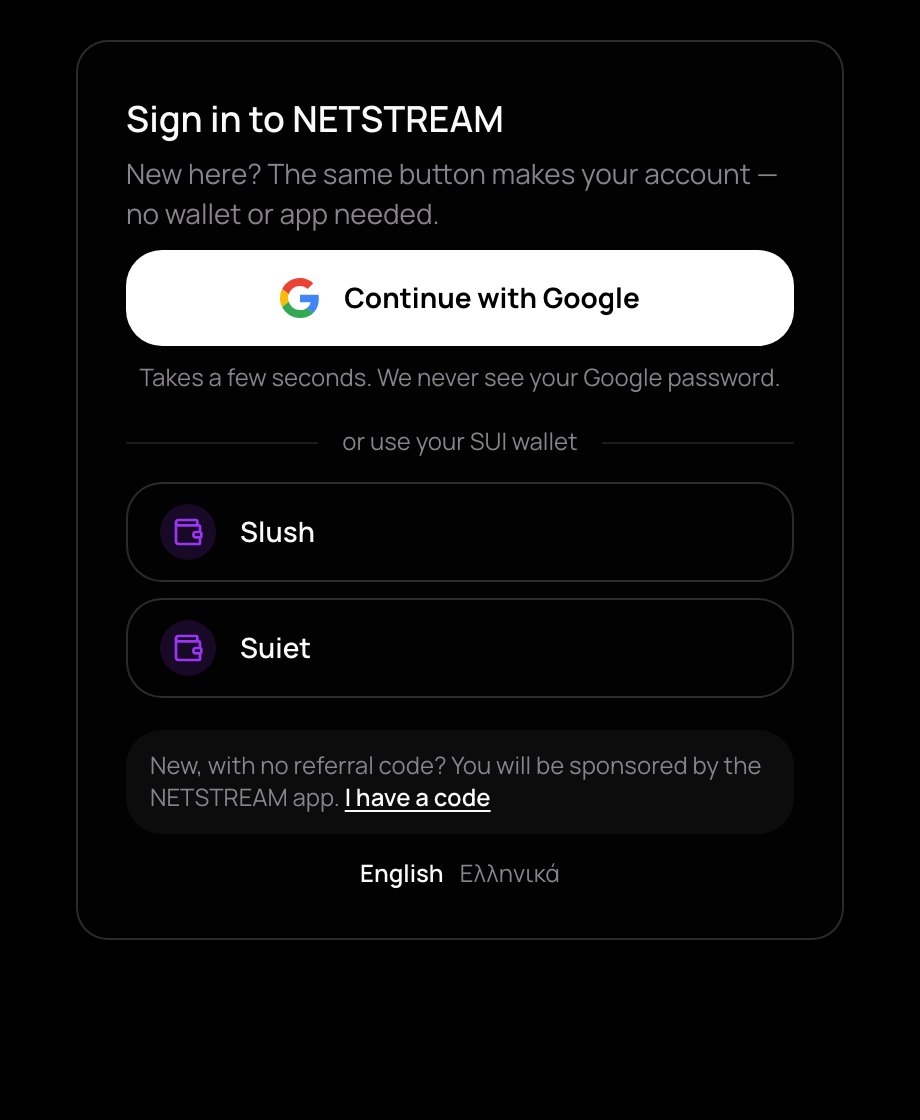
- In Sign in to NETSTREAM, tap Continue with Google, or pick your wallet under or use your SUI wallet.
- With your own wallet, approve the free NETSTREAM sign-in message. It is not a payment. With Google this happens by itself.
Continue with Google makes a wallet for you from your Google sign-in: nothing to install, nothing to write down. NETSTREAM never sees your Google password and never stores your keys. On a phone, Google opens in the same window and brings you back.
Wallets found on your device, such as the Slush browser extension, are listed under or use your SUI wallet.
Each way of signing in is its own wallet, and so its own account. Your Google sign-in and a Slush wallet are two accounts with two balances. Use the same one every time.
Slush on a phone
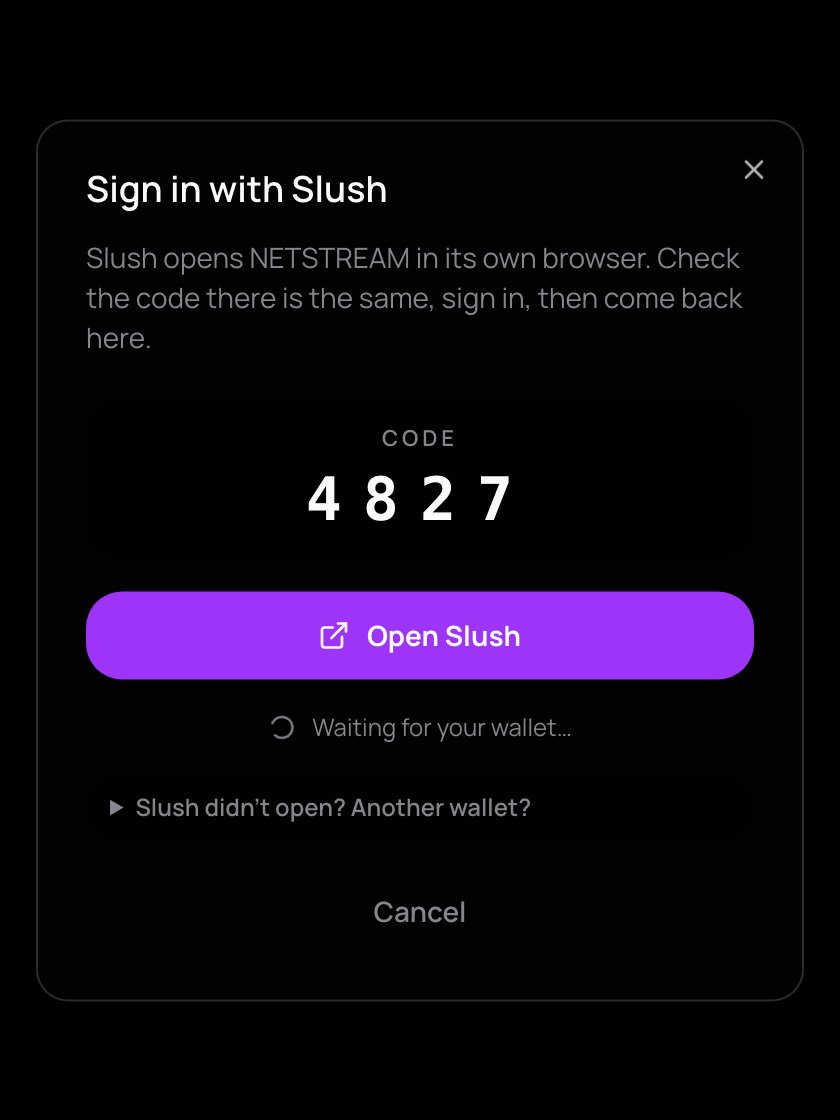
In a phone's browser, Slush shows Opens the Slush app. Tap it, and a box shows a 4-digit Code.
- Tap Open Slush. Slush opens NETSTREAM in its own browser.
- Check that the code there is the same, and sign in.
- Come back to NETSTREAM: it carries on by itself.
Approving a payment works the same way, in a box called Approve in Slush. Each request waits 10 minutes. If Slush doesn't open, tap Slush didn't open? Another wallet? for Slush's web link, the Slush app, Phantom, or a link to open in any wallet app's browser.
If the code in Slush is not the one NETSTREAM shows, tap Cancel. Someone else sent you that link.
Invited by someone?
The sign-in box shows who invited you. If you are new, they become your sponsor; without an invite, the NETSTREAM app is. Have a code? Tap I have a code. More in Referrals.
What signing in is for
Your wallet is your account. Signing in proves it is yours, so you can watch, chat, follow and pay, and your settings follow you to every device. A sign-in lasts 7 days; then you sign the message again.
Sign out
Open the account menu — your picture at the top right — and tap Logout & Disconnect at the bottom. If you are live, NETSTREAM asks first, because signing out ends your broadcast.